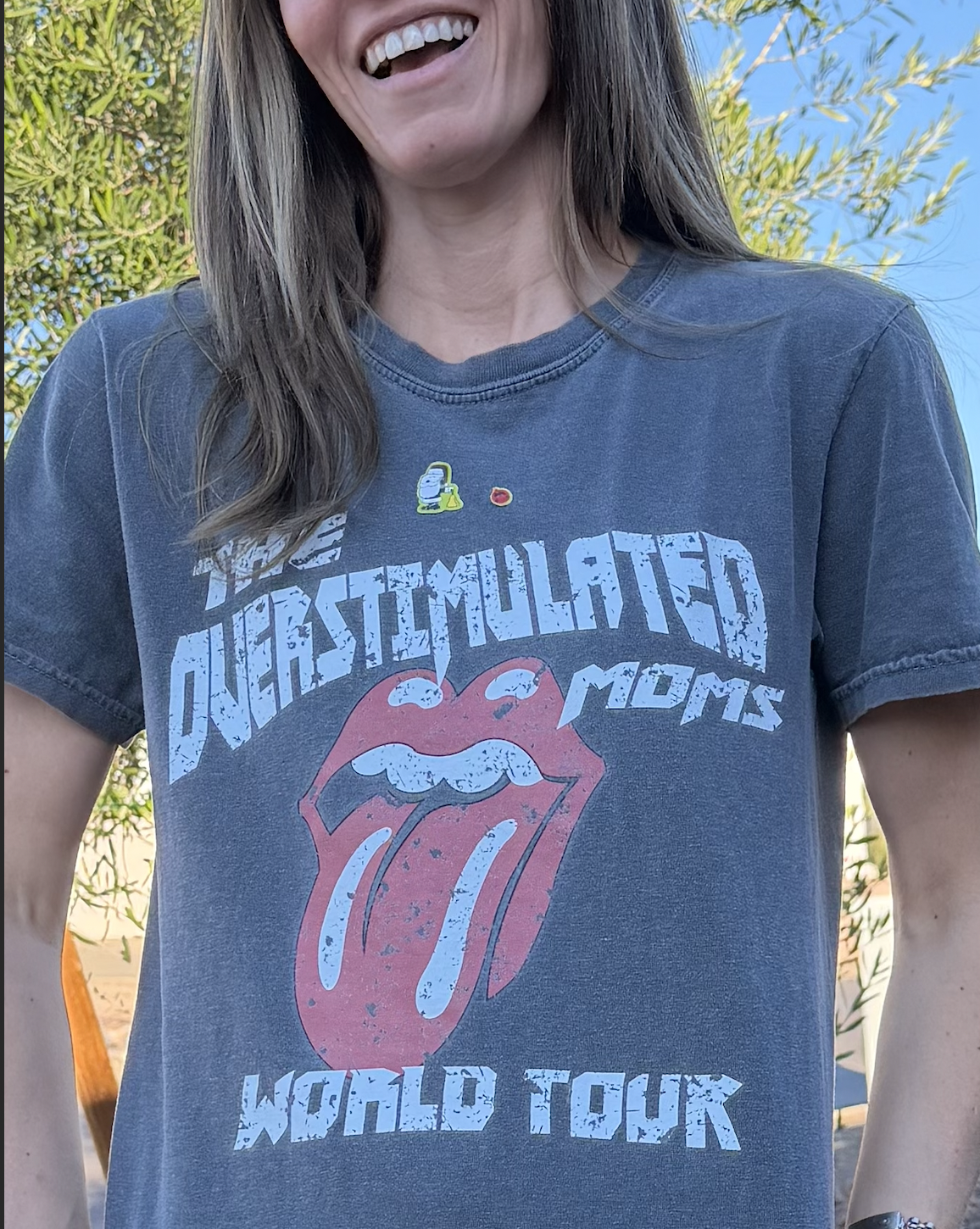
‘Tis the season - for holiday planning, kids out of school, dogs barking at delivery people, and so many other forms of stimulation. It’s no wonder this is one of my go-to t-shirts - with or without the Snoopy-dressed-as-Santa stickers.
While some stimuli is more audibly obvious, screens can be incredibly stimulating. They impact our brains in all kinds of ways - including increasing dopamine and activating the reward center of our brain. The colors, the sounds, the payoff of a hilarious or thought-provoking reel - it’s no wonder so many of us (myself included) can have a hard time putting the phone down.
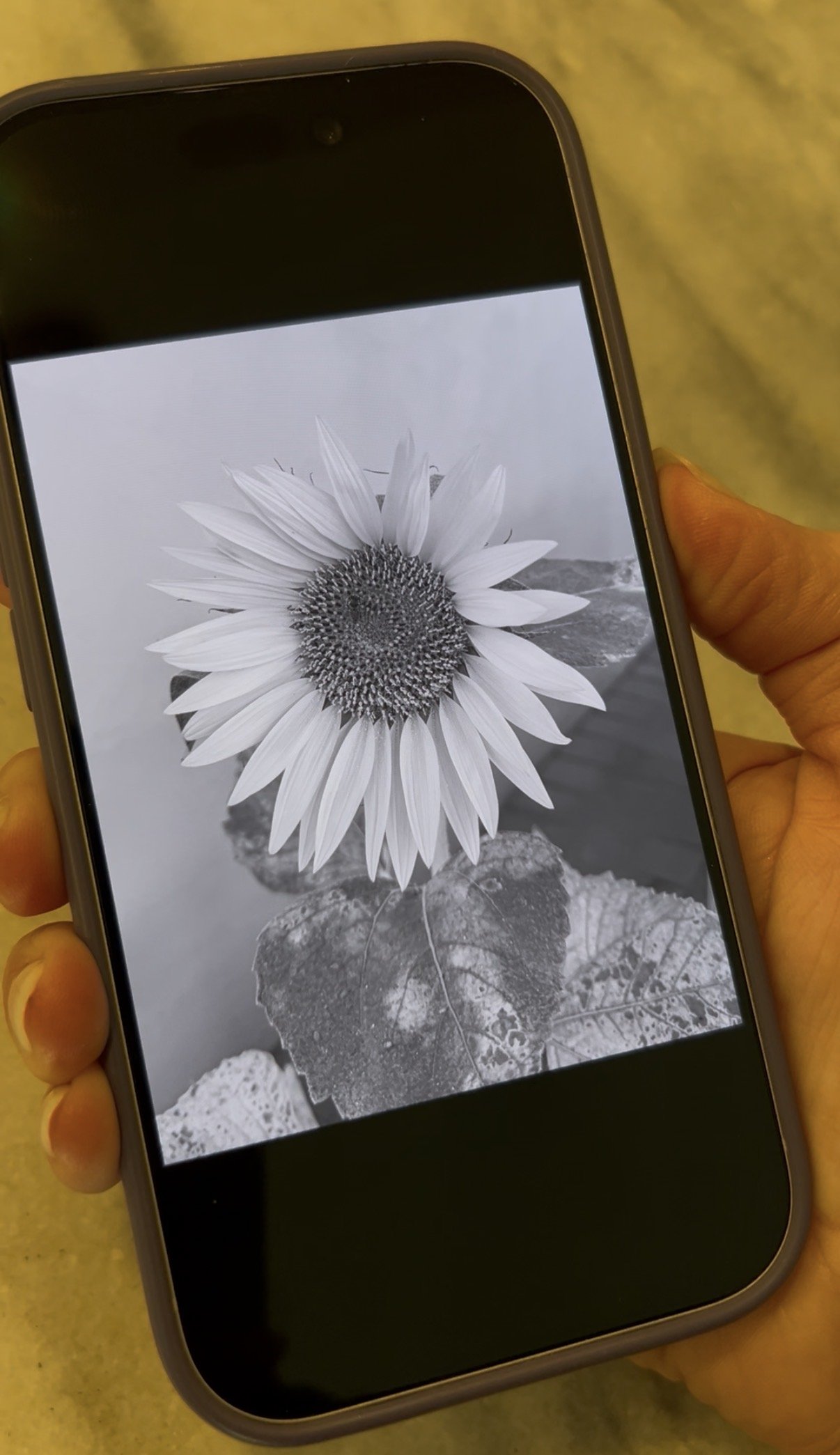
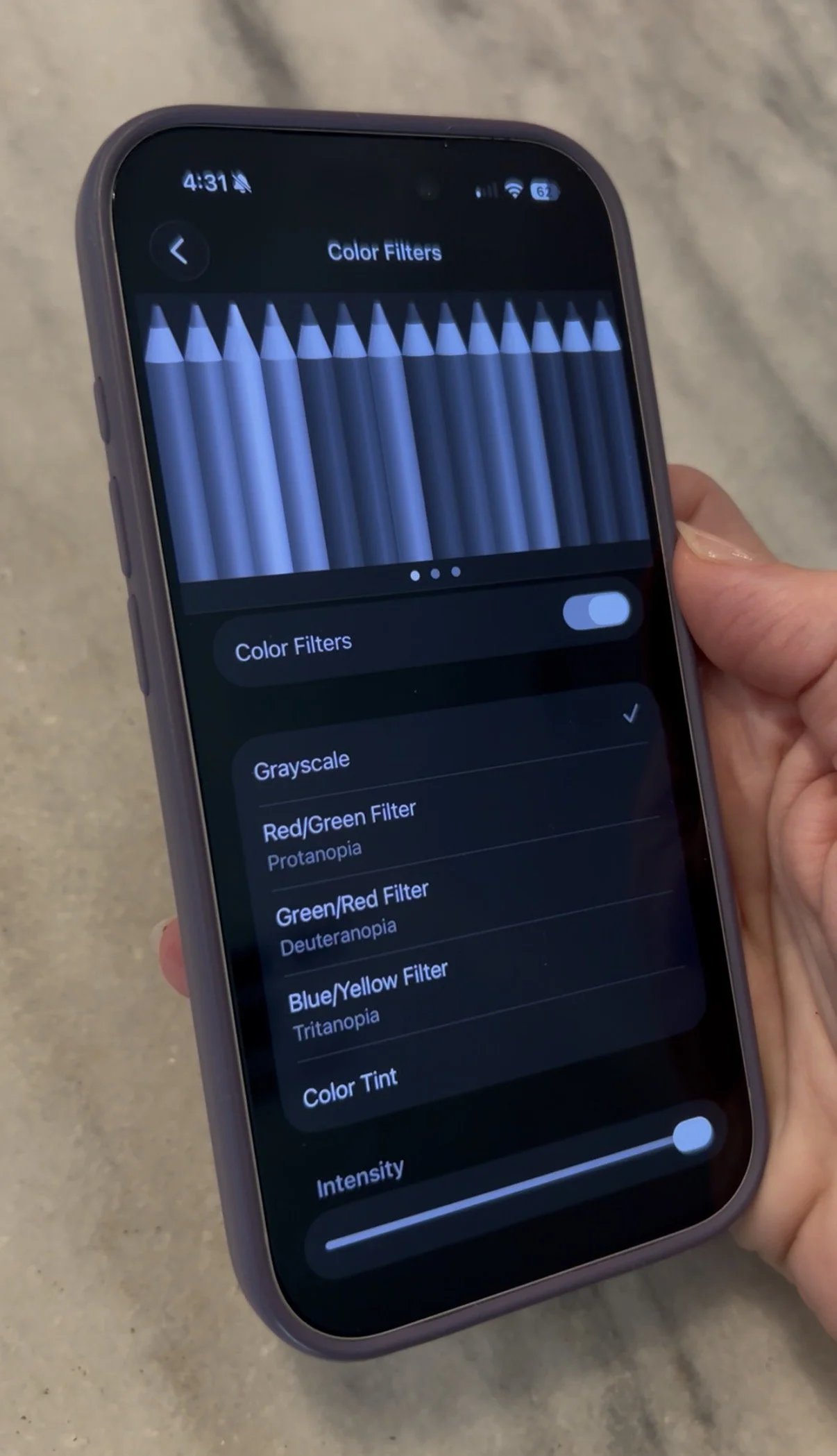
If you have an iPhone, I wanted to share one settings change that can actually make a difference. It’s called Grayscale Mode, under Color Filters. It keeps your phone completely functional, while removing the stimulating, bright colors by switching the display to grayscale. On top of reducing stimulation it can reduce eye strain, help with screen addiction, and save battery life.
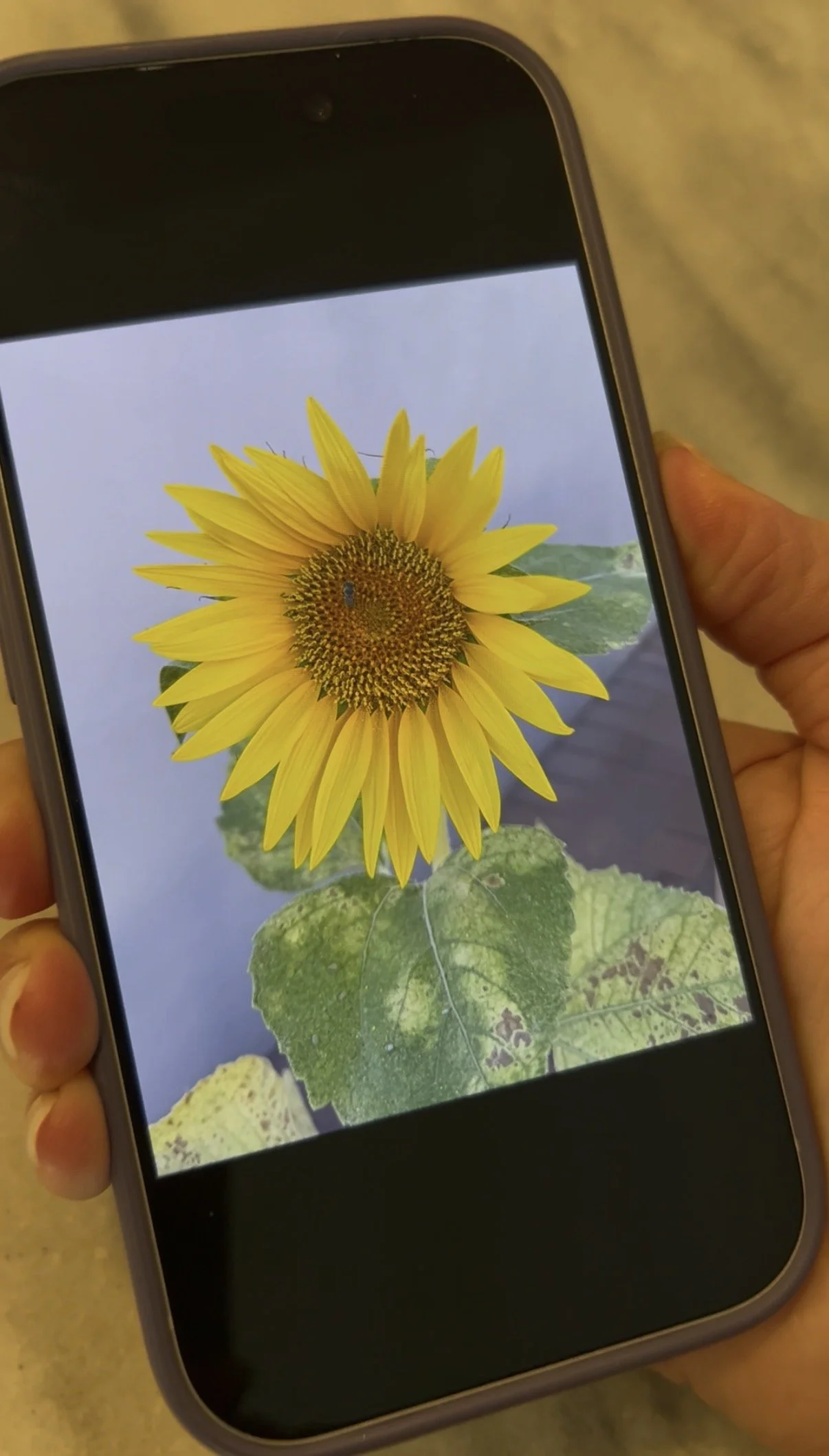
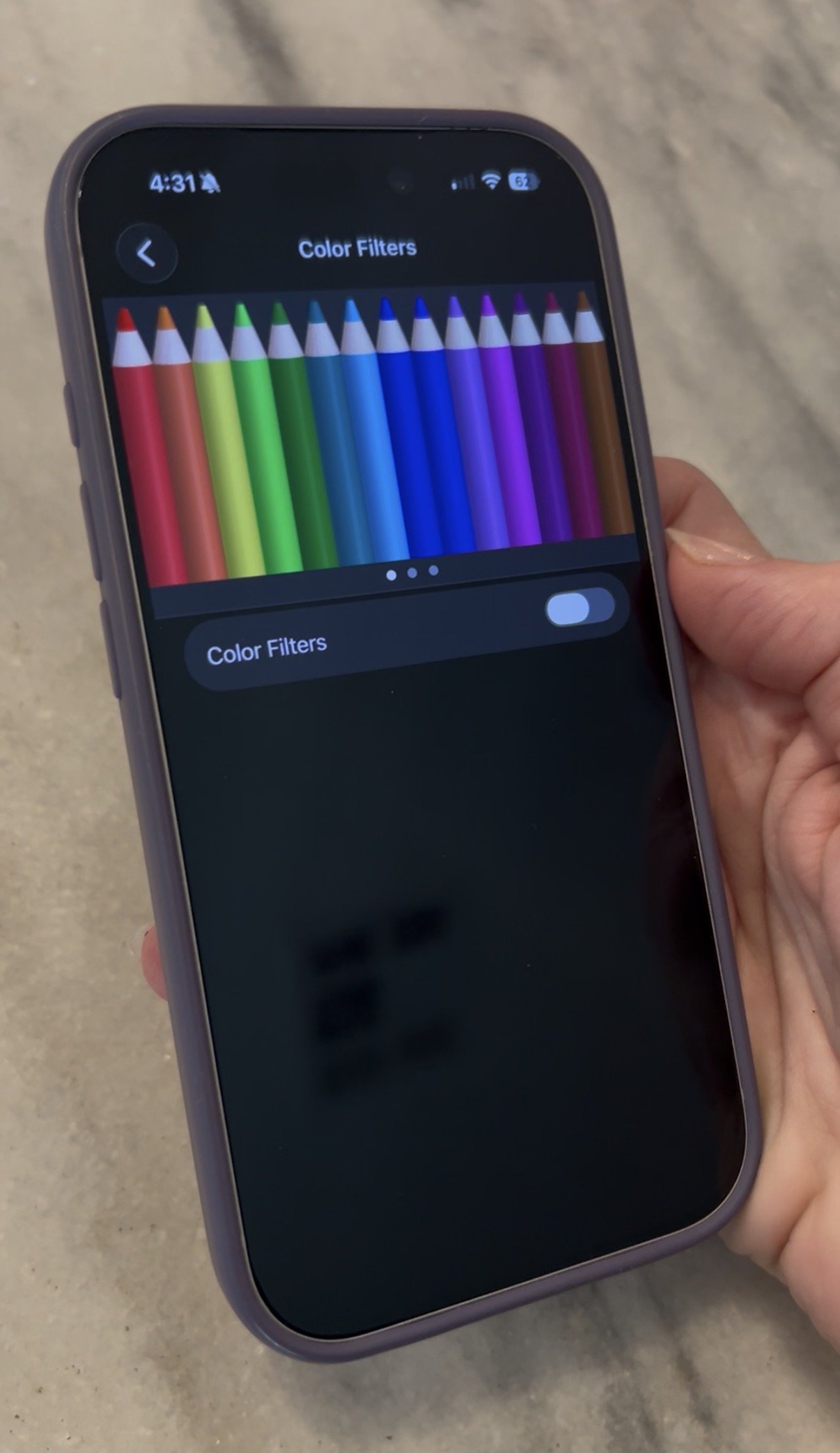
Below are examples of what the phone looks like without this filter turned on, and after. While you may not want to use it when looking at photos, you’d be amazed how it can help when looking at texts, emails, apps and more.
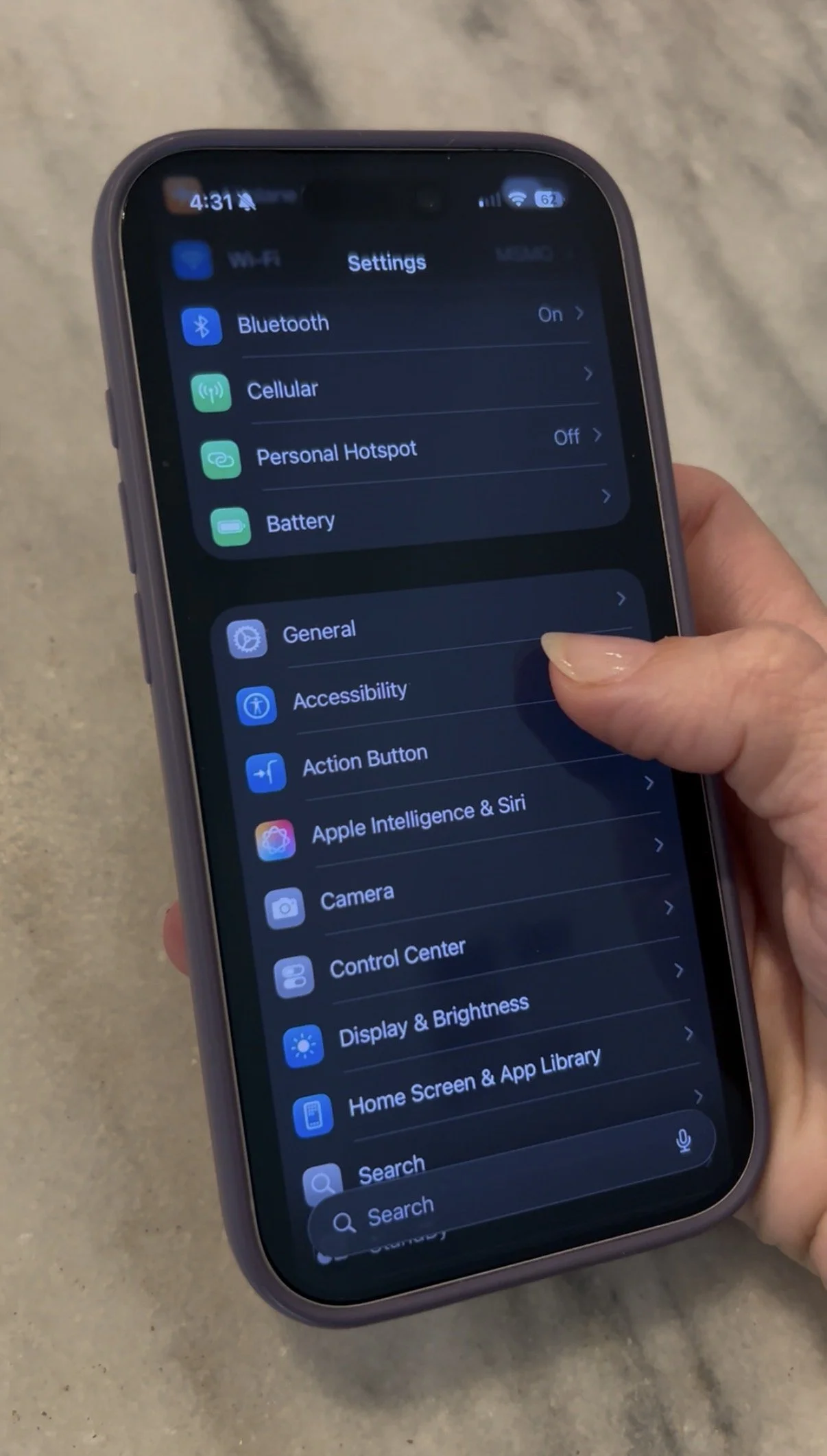
Turning this filter on is easy. First:
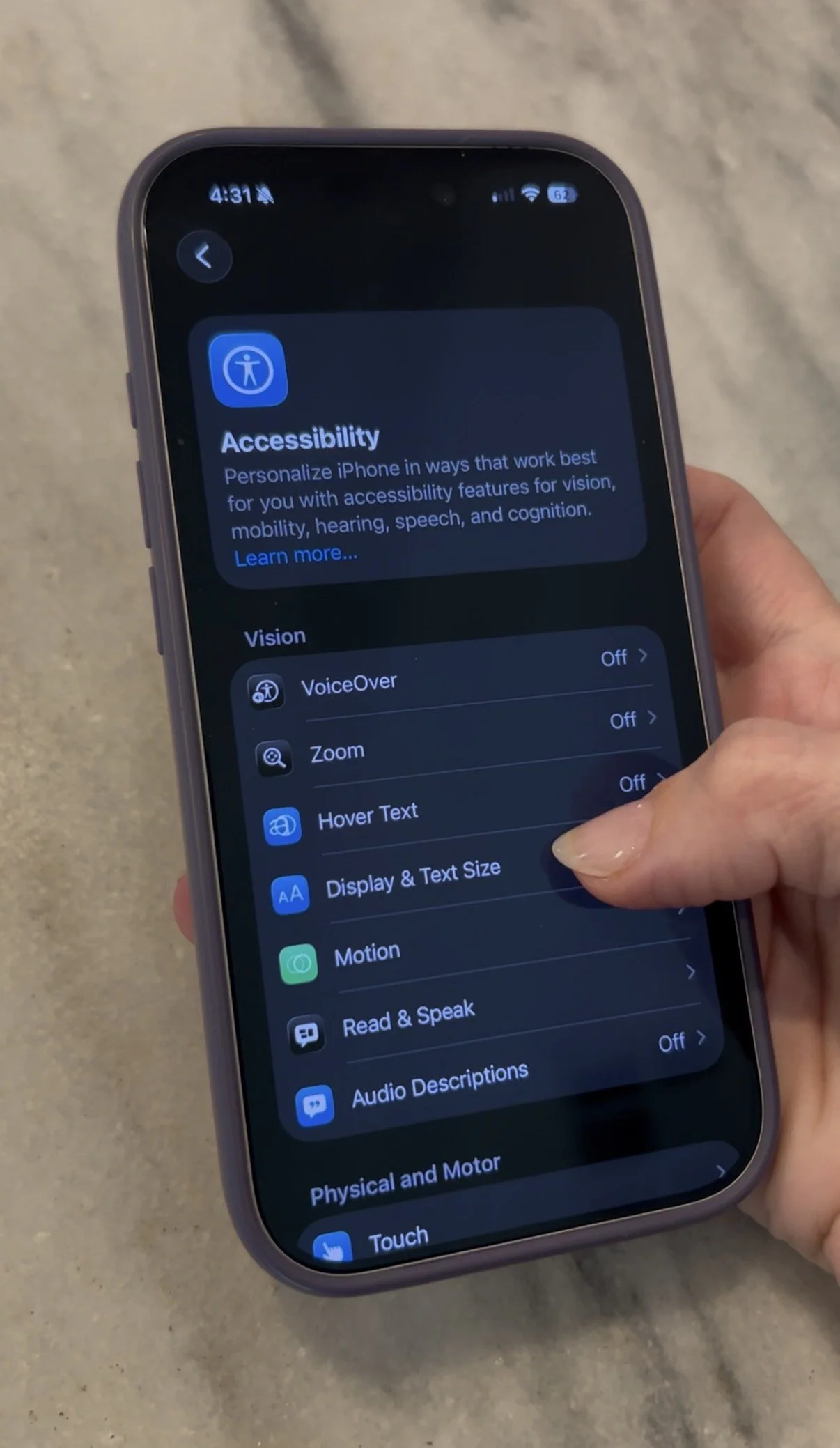
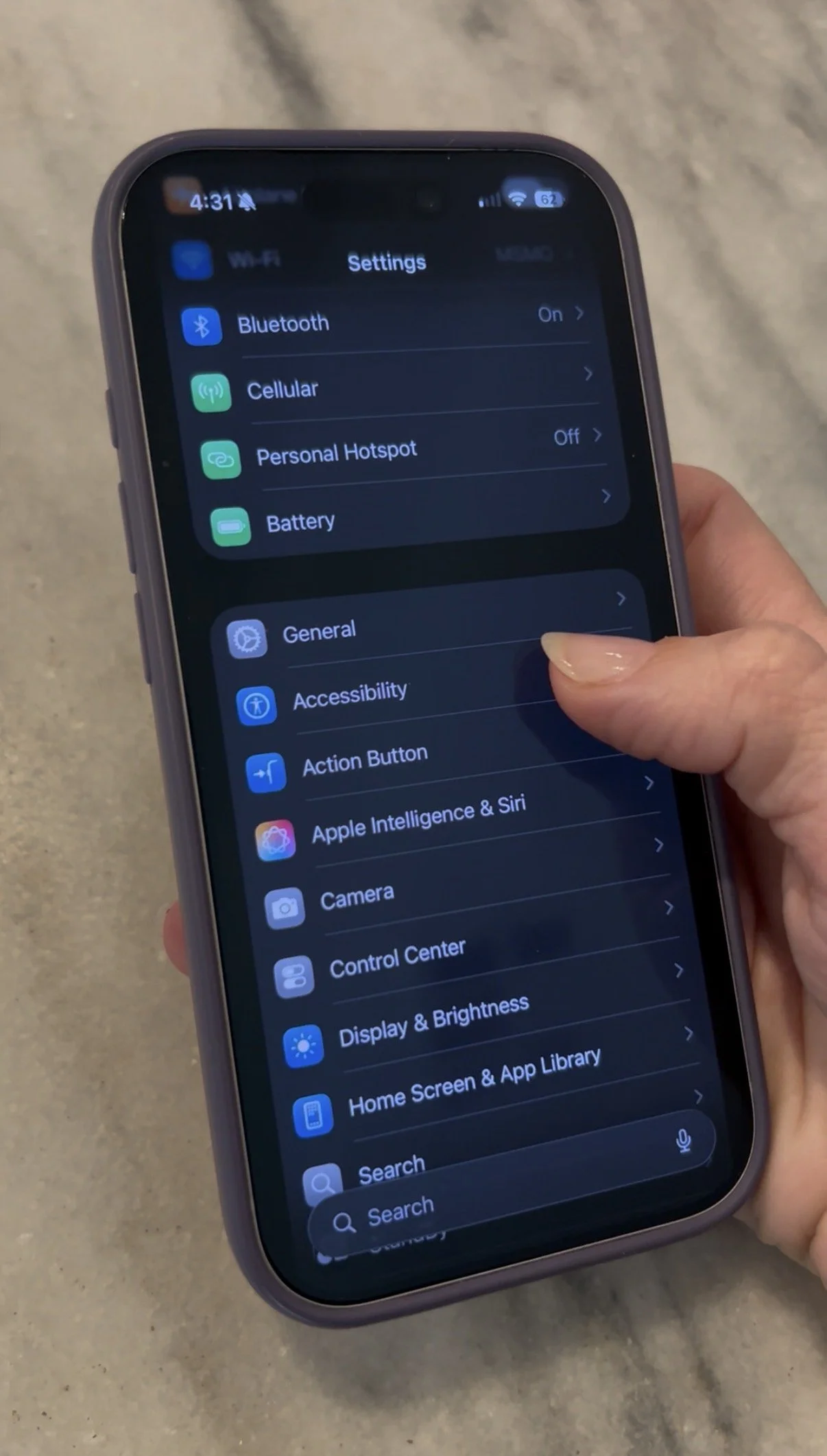
Go into Settings
Tap Accessibility
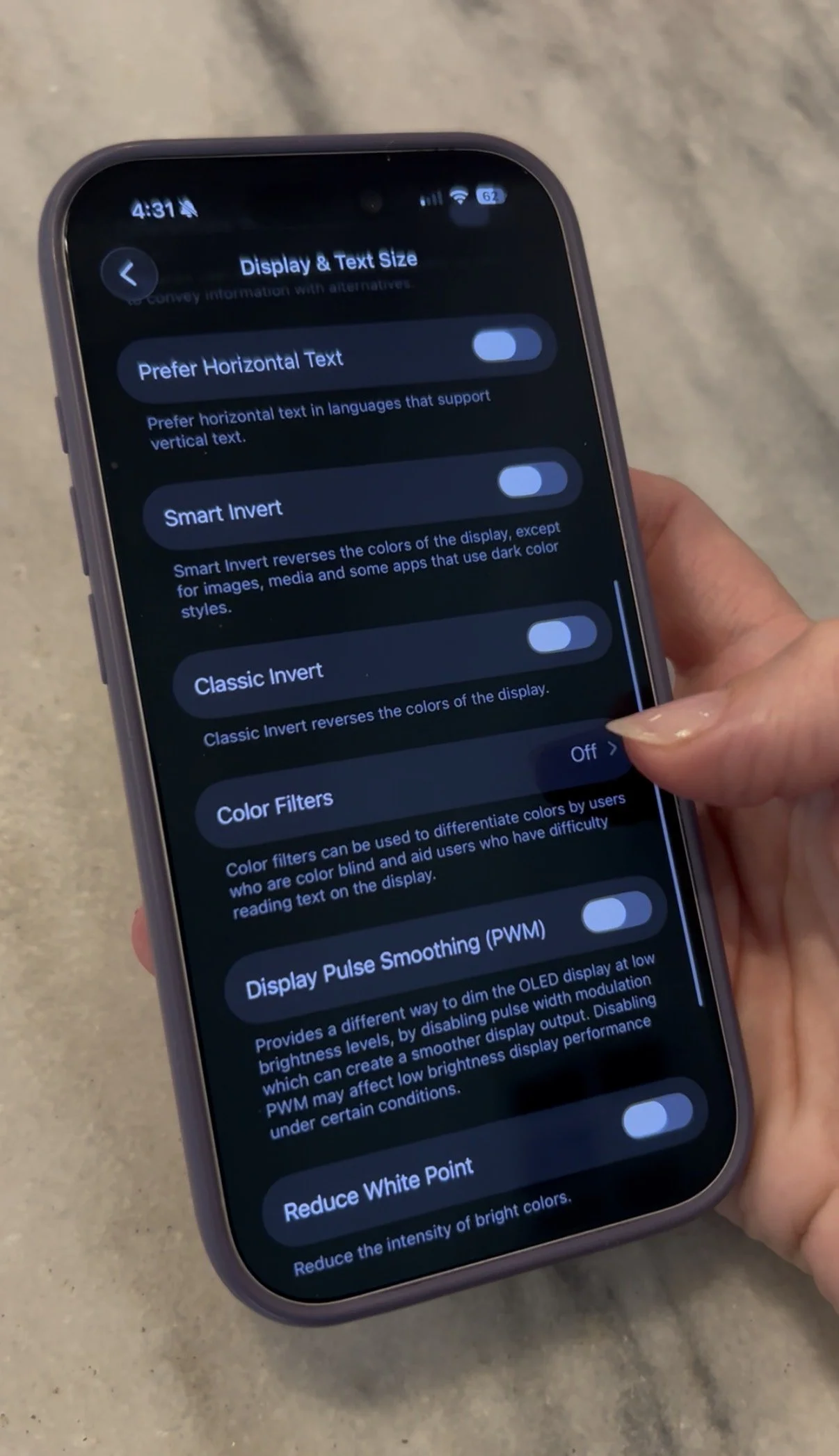
Tap Display & Text Size
Tap Color Filters
Toggle ON. You will see that you screen turns from full color to grayscale.
Want to use this feature, but not have to do the above step every time to turn it off? I’ve got you covered.
Go to Settings
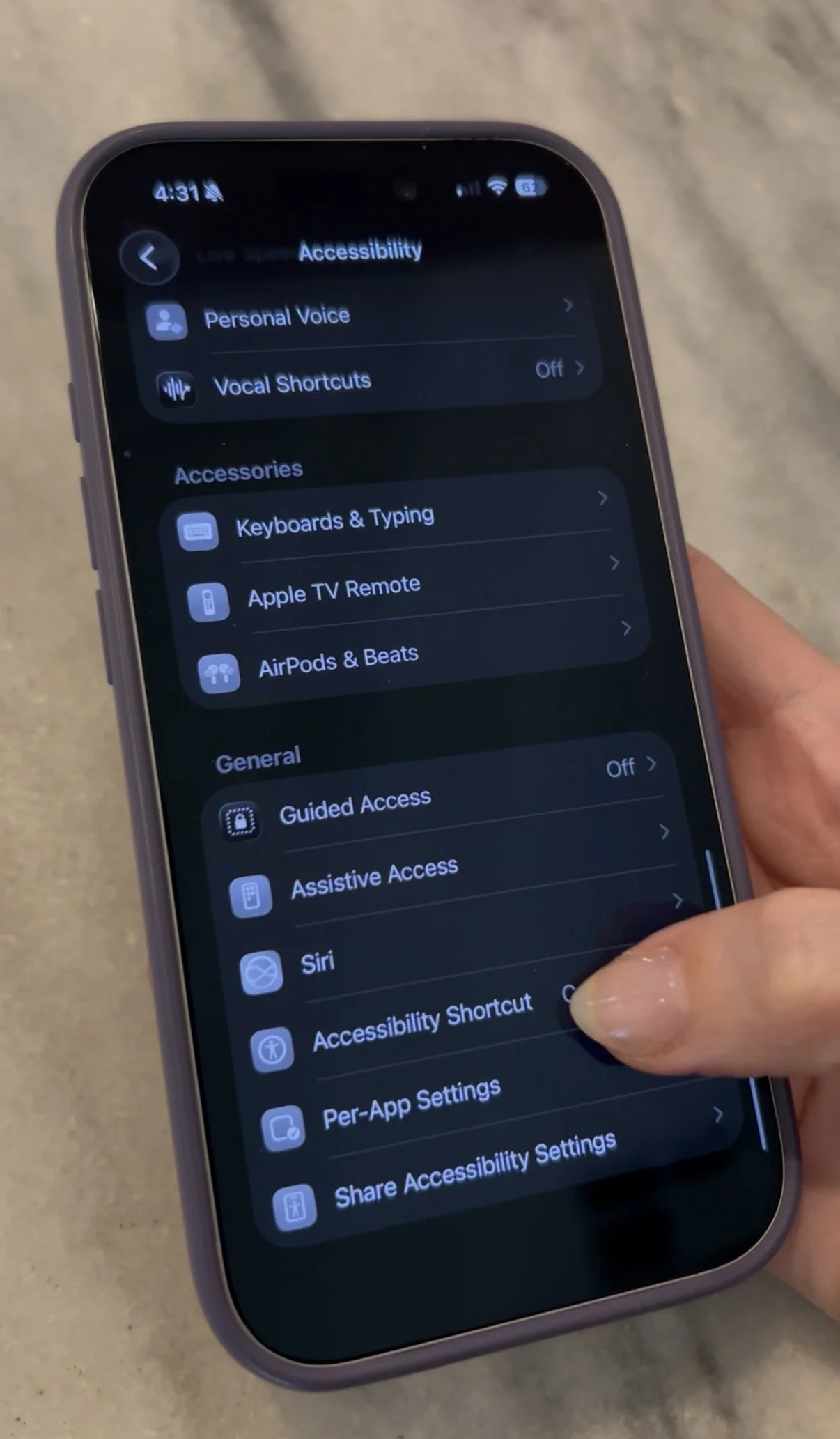
Tap Accessibility
Scroll all the way down and tap Accessibility Shortcut
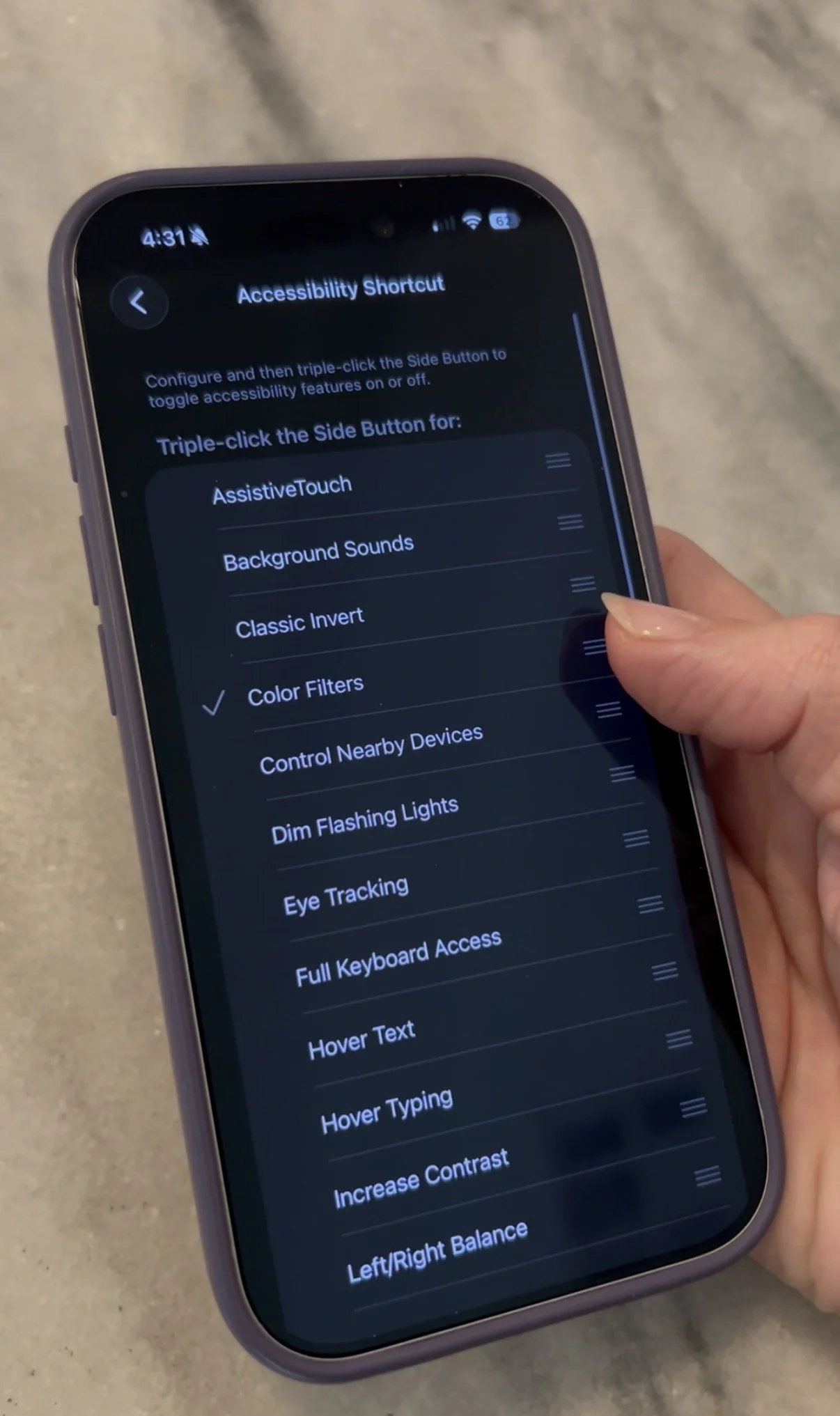
Tap Color Filters. When you see a checkmark next to it, you’re good to go.
From now on, you’ll simply have to triple-click the side button on your iPhone and you can toggle in between full color and grayscale.
Living in the digital age, it’s easier than ever to feel overstimulated. I hope this tip can help - even just a little bit!